
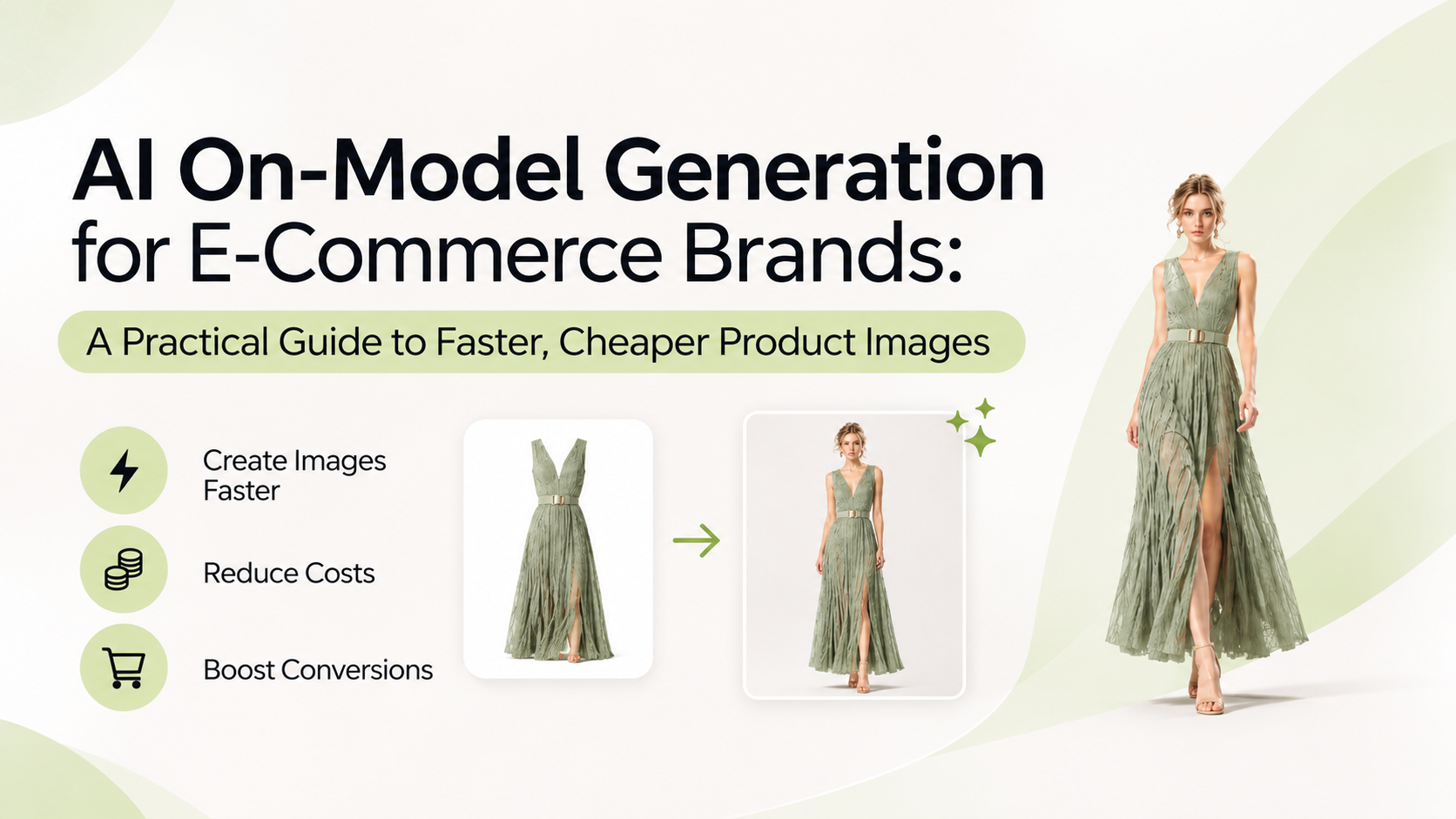
AI On-Model Generation for E-Commerce Brands: A Practical Guide to Faster, Cheaper Product Images

Product images are the closest thing an online store has to a salesperson. They answer questions before shoppers ask them: How does it fit? What color is it really? Does it suit me? For fashion and apparel brands, the answers come from on-model photography, and that is exactly where many growing stores struggle. Studio shoots are expensive, slow to organize, and difficult to repeat every time a new product arrives.
AI on-model generation offers a practical solution. Instead of booking a new shoot for every collection, e-commerce brands can place their products on photorealistic AI models and publish professional images in a fraction of the time. This guide explains how the process works, what benefits it brings, and how to use it well.
What Is AI On-Model Generation?
AI on-model generation is the process of creating images in which a virtual model wears a real product. The garment is photographed once, usually on a hanger, mannequin, or flat surface. AI then fits that garment onto a chosen model, adjusts the pose and lighting, and produces an image that looks like it came from a professional studio.
The model in the image is not a real person standing in front of a camera. It is a photoreal digital model that can be reused across many products, styles, and campaigns. This is what makes the approach so valuable for online retail, where large catalogs and frequent updates demand a steady flow of fresh visuals.
Why E-Commerce Brands Need a Better Image Workflow
Online shoppers cannot touch or try anything before buying, so they judge products almost entirely by what they see. Stores that show clear, consistent on-model images tend to earn more trust than stores that rely on flat-lay shots alone. The challenge is that traditional photography does not scale easily.
The Cost and Time Problem
A typical shoot involves models, a photographer, a stylist, makeup and hair artists, a studio, and several days of editing. For a brand that launches new items every month, these costs add up quickly. Small and mid-sized stores often compromise by shooting only their best sellers, which leaves the rest of the catalog with weaker visuals.
The Consistency Problem
When different products are shot on different days with different models, lighting, and backgrounds, the store can look uneven. Shoppers notice this, even if they cannot explain why, and an inconsistent storefront can feel less professional.
How AI On-Model Generation Works
A good workflow follows a clear sequence, and each step affects the quality of the final result.
Step One: Capturing the Product
Everything begins with clean product photos. The garment should be well lit, properly steamed or ironed, and photographed at high resolution so that color, texture, stitching, and prints are clearly visible. The AI can only reproduce the detail it receives, so this step deserves real care.
Step Two: Choosing the Model
Next, the brand selects the model that represents its audience. Some brands choose a ready-made preset, while others invest in an exclusive model that no other store can use. Models can differ in age, skin tone, height, and body type, which helps a store speak to a wider range of shoppers.
Step Three: Fitting, Styling, and Scene Setup
The AI then fits the product to the model and simulates how the fabric drapes and folds. The image is styled with the right pose, lighting, and background, whether that is a clean white studio for marketplaces or a lifestyle scene for social media and ads.
Step Four: Human Retouching
Finally, professional editors review each image. They correct small distortions, refine edges, fix hands and accessories, and confirm that the colors match the real product. This stage is what makes AI images safe to publish. Without it, small errors can slip through and hurt customer trust.
The Business Benefits for Online Stores
The value of AI on-model generation shows up in several parts of an e-commerce business at once.
Lower Production Costs
Because the product is captured once and the rest of the process is digital, brands avoid most of the recurring costs of studio production. This allows even small stores to give every product on-model treatment, not just their top sellers.
Faster Product Launches
New products start earning revenue only when they go live. AI workflows can deliver finished images in days instead of weeks, so items reach the storefront sooner. This is especially useful for seasonal drops, trend-driven products, and flash sales.
Higher Conversion Potential
Clear on-model images help shoppers picture themselves wearing the product. When a store shows accurate fit, drape, and proportions, customers feel more confident adding items to the cart. Many brands also see better engagement on product pages that include several angles and styled looks.
Fewer Returns
Returns are one of the biggest hidden costs in online fashion. When images set accurate expectations about fit and color, fewer customers are surprised by what arrives. Honest, high-quality visuals therefore protect profit as well as sales.
Content for Every Channel
A single product often needs images for the website, marketplaces, email campaigns, social media, and paid ads. AI generation makes it easy to produce each format from the same source without organizing a new shoot for every channel.
Choosing Between Exclusive and Preset Models
The choice of model shapes how customers perceive your brand, so it is worth thinking through carefully.
When a Preset Model Makes Sense
A preset is a ready-made virtual model that can be used quickly and at a lower cost. It suits new stores, marketplace sellers, and brands that are testing AI imagery for the first time. The trade-off is that other brands may also use the same preset.
When an Exclusive Model Is Worth It
An exclusive model is purchased once and belongs only to your brand for lifetime use. No competitor can appear with the same face. This option works well for brands that want a recognizable identity, plan to run long-term campaigns, or operate in a crowded niche where visual differentiation matters.
Optimizing AI Model Images for SEO and Marketplaces
Creating great images is only half the job. To get value from them, e-commerce brands should also make sure search engines and marketplaces can understand them.
Image File Names and Alt Text
Use clear, descriptive file names such as "grey-knit-sweater-front-view" instead of random strings of numbers. Write alt text that describes what the image shows in plain language, including the product type, color, and style. This helps with accessibility and gives search engines useful context.
Image Size and Page Speed
High-quality images can slow down a page if they are not optimized. Compress files, use modern formats such as WebP where supported, and enable lazy loading for images below the fold. Faster pages improve user experience and support stronger search performance.
Structured Data and Marketplace Rules
Add product structured data so search engines can display rich results, and make sure the images follow each marketplace's requirements for size, background, and framing. Many platforms also have rules about how AI-generated content should be labeled, so check the guidelines before publishing.
Common Mistakes to Avoid
The most common mistake is starting with poor source photos and expecting the AI to fix everything. Another is skipping human review, which allows small errors in hands, edges, or fabric texture to reach the live store. Some brands also over-polish their images until the product no longer matches what the customer receives, which increases returns.
Inconsistent styling is another problem. Changing the model, lighting, and framing too often can make the storefront feel scattered. The best results come from a clear visual guideline that is applied across the whole catalog.
How to Measure the Return on Investment
To understand whether AI on-model images are working, track a few simple metrics before and after the change. Compare conversion rate, add-to-cart rate, bounce rate, and return rate on product pages that use the new images. Also measure the time and money saved per product compared with a traditional shoot. When brands review these numbers together, the business case is usually easy to see.
Conclusion
AI on-model generation gives e-commerce brands a faster, more flexible, and more affordable way to produce the images that drive online sales. It helps stores launch quickly, keep a consistent look, and give every product the professional presentation it deserves. When it is paired with careful retouching and honest presentation, it becomes a lasting advantage rather than a shortcut.
If you want to see how this works for a real store, explore how Cutting Edger creates photoreal AI models and on-model product images for e-commerce brands, with both exclusive and ready-to-use model options.
Frequently Asked Questions
What is AI on-model generation?
It is the process of using AI to place a real product on a photorealistic virtual model, creating professional on-model images without a traditional photoshoot.
Is AI model photography good for small online stores?
Yes. It lowers the cost of on-model imagery, so small stores can give every product a professional look instead of limiting it to a few best sellers.
Can AI-generated product images improve conversions?
Clear, accurate on-model images help shoppers understand fit and style, which can increase confidence and support better conversion rates.
Do AI product images still need editing?
Yes. Human retouching is important for checking fit, color accuracy, and small details so the final images are ready to publish.